Load the notes and share the handout
Keep GM adventure open in your usual text editor while you prepare. It contains read-aloud descriptions, NPC motives, multiple ways forward, consequences, a suggested session schedule, and follow-up adventures. Make your own copy before adapting it. Plain text notes remain usable even if a VTT panel is awkward or the connection drops.
The two files in starter-content also import these notes into Aethera's Journal directory. You do not need to edit JSON to use them.
- Open Journal. If you already have entries, right-click one and choose Import JSON into folder. If you have none, use Create journal entry or folder > New journal entry to create a temporary empty entry, then right-click it.
- Select willowmere-gm-notes.json from the supplied
starter-contentfolder. Wait for the imported entry GM - Willowmere Session Notes to appear with a GM only badge. - Repeat the import with willowmere-player-handout.json. It creates Welcome to Willowmere. Import each file once; importing again creates another entry.
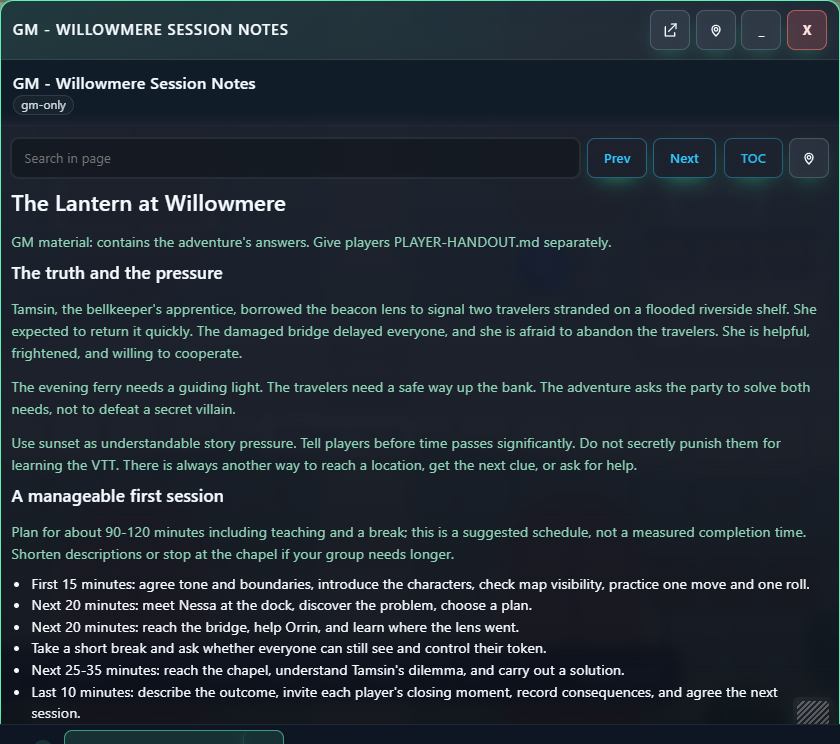
- Right-click the GM notes and choose Open. Enlarge the window using its resize handle. The TOC button shows or hides its table of contents. Check that the content begins with the adventure and that the visibility label is gm-only.
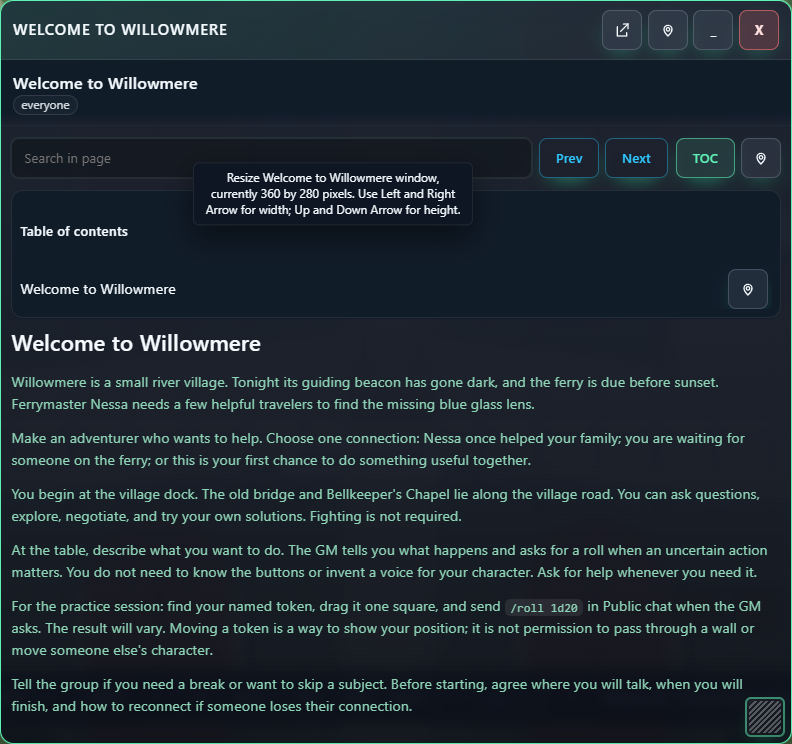
- Open the player handout the same way. This contains only the public premise and joining/practice advice. Keep the adventure's answer in the GM notes.
- In the player's browser, open Journal and search for Welcome to Willowmere. It should be readable. Search for GM - Willowmere; the private entry should not appear. Perform this check again after changing permissions or importing your own material.
To update your session plan inside the VTT, open the journal and choose Edit journal. Edit the title or body in the Journal editor, wait for saving, then close and reopen it to check your changes. Keep your text copy too if you want notes available outside the tabletop.
Privacy habit: a title such as "GM Notes" does not make an entry private. A GM's New journal entry starts GM only; New handout starts shared with everyone. Check the actual visibility before entering secrets, and verify the player's view after sharing or importing. Avoid Show to players on private material.